

How to Upsell Groceries on WhatsApp, From the Ad to the Basket
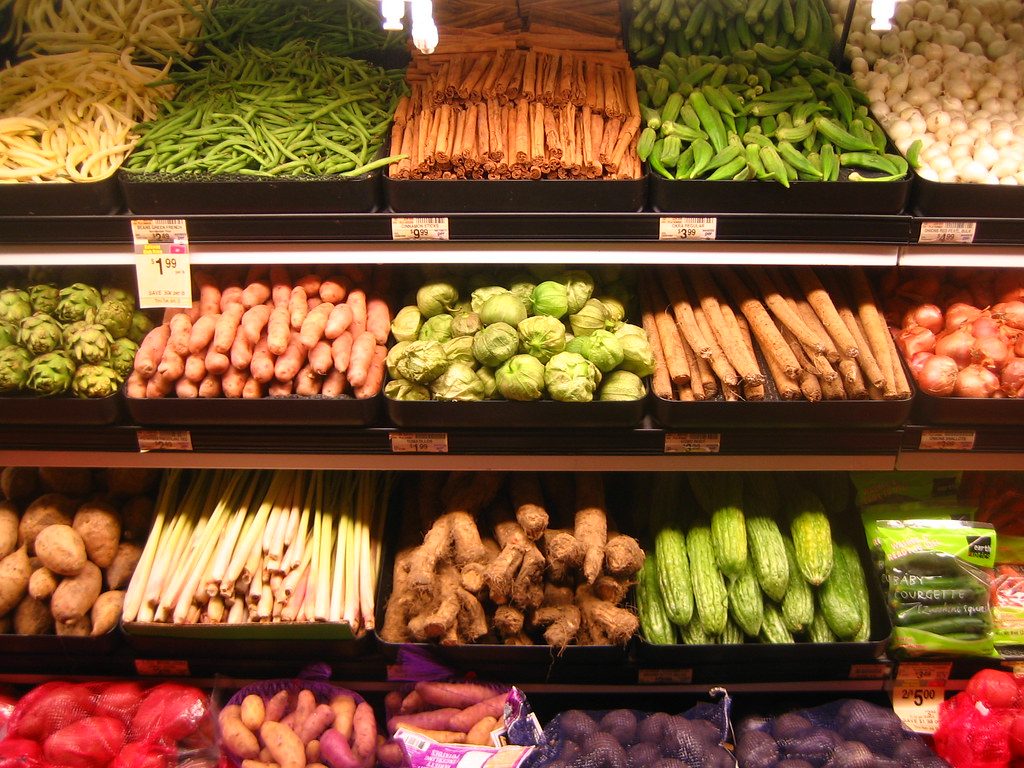
Photo by rick on Flickr, CC BY 2.0
Grocery runs on thin margins and frequent repeat visits, so basket size is the number that matters. Most supermarket upselling happens on a shelf end or in an app banner, aimed at nobody in particular. A conversation is different, because the customer has just told you what they are trying to do. This guide covers both halves: getting shoppers into a WhatsApp conversation straight from an ad, and growing the basket once they are there.
To upsell groceries on WhatsApp, start the conversation from a Meta ad that opens WhatsApp directly, let the customer state a goal ("pasta for six tonight") or paste a list, then match each item to a real product with an image and price and suggest only what completes that goal: the sauce, the cheese, the dessert, the live offer, the item that crosses the free delivery threshold. One suggestion per step. A declined offer ends it.
Step one: send ad traffic straight into WhatsApp
The usual grocery ad sends people to an app store or a website. Every step in between, the download, the sign up, the search, loses shoppers. Meta's ads that click to WhatsApp remove those steps: the person taps the ad and a WhatsApp chat with your business opens. In Meta Ads Manager you build the ad as usual and, at the destination step, choose messaging apps and then WhatsApp.
Three things make this especially suited to grocery:
- No account. The shopper's phone number identifies them. There is nothing to install or register before the first order.
- The ad can start the conversation. The ad's message template in Ads Manager can set a pre-filled first message, which the shopper can edit before sending, as described in Braze's documentation of the format. A tap on a "Weekend barbecue box" ad lands the shopper in a chat that already knows what they came for.
- The first three days are free to message. Under Meta's WhatsApp pricing rules, checked on 6 October 2026, when a customer messages you through a Click to WhatsApp ad and you reply within 24 hours, a free entry point window opens for 72 hours. During it, any type of message, templates included, is sent at no charge. For a grocer that covers the order, the confirmation, the delivery update and a follow up about the next shop.
That last point matters for the economics. Outside that window, promotional messages you send first are marketing templates, charged per delivered message. We broke down the full structure in what the WhatsApp Business API really costs.
Step two: let the customer state a goal, not a search term
A search bar needs a product name. A conversation accepts a goal. That is the whole advantage, and it is where the upsell starts.
Three kinds of message a grocer can expect, and what each one opens up:
| The customer writes | What it tells you | The natural addition |
|---|---|---|
| "I want to make pasta for six tonight" | A complete meal, a quantity and a deadline | Sauce, parmesan, garlic bread, a dessert |
| A pasted or photographed shopping list | The core basket, already decided | Items usually bought with those, offers on listed brands |
| "Same as last week" | A repeat basket | What changed since: a new offer, a seasonal item |
Regional shoppers rarely write in textbook English. A message like "bade 2 kilo banadoura w khebez" mixes Arabizi with a quantity and a product. A conversation layer that only understands clean English product names misses that order entirely. We covered how far Arabic and Arabizi understanding has come in whether AI customer service really works in Arabic.
Step three: match every item to a real product, with a picture
The goal becomes a basket only when every ingredient maps to something on your shelves, at today's price. This is the part that needs your catalogue, not a generic chatbot.
WhatsApp now supports this visually. According to Meta's developer documentation on selling products, a business can connect a product catalog to its WhatsApp account, send single product messages with an image, price and description, and send multi-product messages showing up to 30 products in sections. Customers add items to a cart inside WhatsApp and submit one order.
So when "pasta" matches five pastas, the shopper is shown the five with photos and prices and taps one. When a brand is out of stock, the substitute is offered with its picture rather than silently swapped. Substitution handled well is itself a sale saved.
Step four: suggest what completes the basket, once
Here is a worked example. It is illustrative, not a customer conversation.
A shopper taps a weekend recipe ad and writes that they want to make pasta for six tonight. The reply confirms quantities and shows two pastas and three sauces with prices. The shopper picks one of each. The next message adds one suggestion: parmesan, with the reason attached, because the recipe calls for it and it is on offer this week. The shopper adds it. Before confirming, the reply notes that the basket is a small amount short of free delivery and names one relevant item that would cross the line. The shopper declines. The order is confirmed with no further offers.
Four rules sit behind that exchange:
- Only suggest what completes the stated goal. Parmesan for pasta, charcoal for a barbecue, lemons for fish. Not this week's random promotion.
- Attach the reason. "It is in the recipe and 20% off this week" sells. "You may also like" does not.
- Use the offers you already run. The conversation is a new place to put the promotions your team already sets, matched to baskets they actually fit.
- One suggestion per step, and a no ends it. We went through why in detail in how to upsell and cross-sell inside a conversation.
Step five: read what customers ask for
Every conversation records something an app search log never captures: what people were trying to cook, which items they asked for that you do not stock, which substitutes they refused. Across thousands of conversations that is a demand signal for buying and promotions. It is also the part most grocers never see, because the conversations live on staff phones.
Where plumcut fits
plumcut builds and runs this conversation layer on top of a store's own catalogue, prices and offers. plum takes the shopper from the ad into the chat, turns a goal or a list into a matched basket with images and prices, suggests what completes it, takes the order into the store's system, and shows the owner what customers actually asked for. It works next to the store's app, not instead of it, a point we covered in WhatsApp ordering for supermarkets. See the flow on how it works.
What to do this week
Pick one meal your customers already buy for, a weekend barbecue, a family pasta night, a Friday breakfast. Write down the eight to twelve products that make it up and which of them are on offer. Then run one small Click to WhatsApp ad for that meal and answer every chat by hand for a week, logging what people ask for and what they add when you suggest the missing item. That week tells you whether the channel is worth automating, using your own customers rather than anyone's averages.
Questions people also ask
How do you upsell groceries on WhatsApp?
Let the customer state a goal or a list, then build the basket around it. When someone says they are cooking a dish, match every ingredient to a real product on your shelves, show the options with images and prices, and suggest only the items that complete the meal, such as a sauce, a cheese or a dessert. Mention a live offer when it fits the basket, and point out a free delivery threshold when the basket is close to it. One suggestion at each step, and a no ends it.
What are Click to WhatsApp ads?
Click to WhatsApp ads are a Meta ad format that opens a WhatsApp chat with the business when the person taps the ad, instead of sending them to a website or an app store. They are created in Meta Ads Manager by choosing messaging apps and WhatsApp as the destination. For a grocer, the ad can promote an offer or a recipe and land the shopper directly in a conversation that can take the order.
Are messages from a Click to WhatsApp ad free?
Under Meta's WhatsApp Business Platform pricing, if a customer messages you through a Click to WhatsApp ad and you reply within 24 hours, a free entry point window opens for 72 hours, during which any type of message, including templates, can be sent at no charge. Outside that window, replies inside the 24 hour customer service window are free, while marketing templates you send first are charged per delivered message.
Can a WhatsApp chat show product photos and prices?
Yes. The WhatsApp Business Platform supports a product catalog connected to the business account, single product messages with an image, price and description, and multi-product messages that show up to 30 products in sections. Customers can add items to a cart inside WhatsApp and send one order.
Have a question? Ask plum.
See it for yourself
Ask plum to turn "I want to make pasta tonight" into a basket from your own shelves.

Keep reading

WhatsApp Ordering for Supermarkets When You Already Have an App
If most of your customers already order in your app, does WhatsApp ordering add anything? Where the app wins, where WhatsApp wins, and how the two run side by side.
6 October 2026
How to Upsell and Cross-Sell Inside a Customer Conversation
Every upsell tool fires on a page where nobody is talking. The four moments in a conversation worth an offer, what to say at each, and where helpful turns pushy.
13 September 2026
Can You Send Abandoned Cart Messages on WhatsApp?
Yes, with opt in and an approved marketing template. Meta lists cart reminders as marketing, so the advice to file them as utility is wrong and costly.
6 September 2026